About ten million household pets disappear every single year within the United States. This staggering number makes effective pet tracking a vital priority for every modern owner. Relying on old metal tags feels risky when dog tracking device tools provide real-time updates.
Many families now use Apple’s tiny tracker to keep their furry friends safe. Attaching this gadget to a strap allows you to leverage the power of millions of iPhones nearby. This global network helps pinpoint a precise location if your adventurous pup ever slips out the back gate.
However, knowledge of the limits helps prevent future accidents. While these gadgets work beautifully in suburban areas, they do not feature independent cellular data or internal GPS. We will explore how to maximize these tools while keeping your pet truly secure.
Key Takeaways
- Apple trackers offer budget-friendly pet tracking without monthly fees.
- These devices rely on the vast Find My network for location updates.
- Precision remains highest in populated regions with many active iPhones.
- Lack of GPS makes these tools less effective in rural or forested zones.
- Specialized holders ensure the tracker stays securely on your pup.
- Battery life lasts up to one year before needing a simple replacement.
1. What Is an Airtag Dog Collar?
The AirTag dog collar is designed to integrate seamlessly with Apple’s AirTag device, providing a convenient method for tracking your dog’s whereabouts. This innovative solution is particularly useful for pet owners who want to ensure their dogs are safe and within reach.
According to user experiences, such as one shared by Mswizzle44, “the AirTag would locate them if your pet is close to home but lost or stuck somewhere.” This highlights the practical application of AirTag dog collars in real-life scenarios where pets might get lost near their homes.
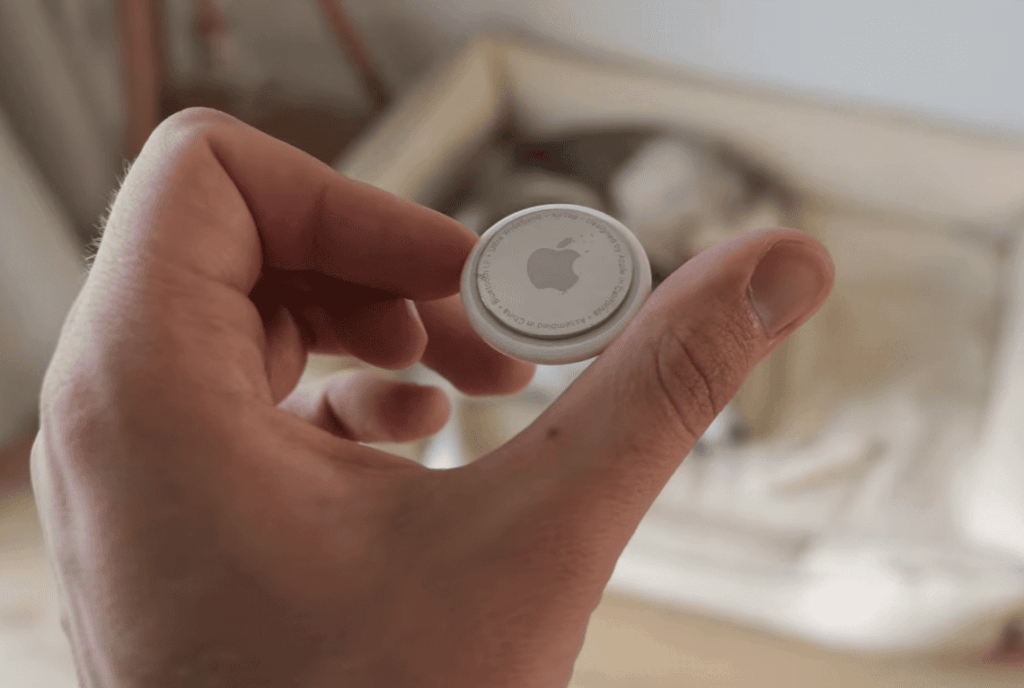
Apple AirTags are small Bluetooth tracking devices that can be attached to a dog’s collar, allowing owners to track their location using the Find My app on their iPhone or other Apple devices. This technology is especially beneficial for dogs that tend to wander off or get lost during walks.
The AirTag dog collar is not just a gadget; it’s a tool that provides peace of mind for dog owners. By understanding how it works and its limitations, pet owners can make informed decisions about using this technology for their pets.
2. How Apple AirTags Work for Pet Tracking
The functionality of Apple AirTags for pet tracking is rooted in their ability to communicate with nearby Apple devices through Bluetooth technology. This communication is facilitated by the Find My network, a crowdsourced location-tracking system that leverages the collective reach of Apple devices worldwide.
2.1. The Find My Network Explained
The Find My network is a vital component of how AirTags operate. It’s a decentralized system that allows AirTags to be located on a map, even when they’re not in close proximity to the owner’s Apple device. When an AirTag is separated from its owner, it can send out a Bluetooth signal that’s detected by nearby Apple devices. These devices then relay the AirTag’s location to the owner’s device, providing a last known location. This network is particularly useful for pet tracking, as it increases the likelihood of locating a lost pet, even in areas with low Apple device density.
2.2. Bluetooth Technology and Range Limitations
Bluetooth technology is at the heart of AirTag functionality. AirTags use Bluetooth Low Energy (BLE) to communicate with nearby devices. However, the range of Bluetooth technology is limited, typically to around 30 feet, depending on the environment. As noted by User Mac Jim, “The AirTag will not locate a pet unless there is an Apple device within Bluetooth range, usually about 30 feet.” This limitation means that AirTags are not suitable for real-time tracking over long distances but are effective for identifying the last known location of a pet when it’s within range of an Apple device.
| Technology | Description | Limitation |
|---|---|---|
| Find My Network | Crowdsourced location-tracking system | Dependent on nearby Apple devices |
| Bluetooth Technology | Enables communication between AirTag and Apple devices | Limited range (typically around 30 feet) |
3. Types of AirTag Dog Collar Attachments
AirTag dog collar attachments come in various forms, each designed to suit different needs and preferences. Whether you’re looking for a simple clip-on solution or a more integrated design, there’s an attachment that can meet your requirements.
3.1. Clip-On AirTag Holders
Clip-on AirTag holders are a popular choice among dog owners due to their ease of use and versatility. These holders can be easily attached to your dog’s existing collar, providing a secure and adjustable fit. According to customer reviews, brands like GoTags offer high-quality, personalized AirTag dog collar holders that are both functional and durable.
“I’ve been using the GoTags AirTag holder for my dog, and it’s been a game-changer. The quality is excellent, and it’s so easy to clip on and off,” says a satisfied customer. Such feedback highlights the practicality and reliability of clip-on holders.
3.2. Integrated AirTag Collar Designs
For those looking for a more streamlined solution, integrated AirTag collar designs are an excellent option. These collars have a built-in compartment or pouch specifically designed to hold an AirTag, providing a sleek and seamless look. Integrated designs often eliminate the need for additional attachments, making them a convenient choice for many pet owners.
When choosing an integrated AirTag collar, consider factors such as material, adjustability, and comfort to ensure the best fit for your dog.
3.3. AirTag Pouches and Sleeves
AirTag pouches and sleeves offer another layer of protection and style for your AirTag attachment. These accessories can be used with both clip-on holders and integrated collar designs, providing additional durability and water resistance. They come in various materials and designs, allowing you to customize the look and feel of your dog’s AirTag attachment.
Some popular brands offer a range of pouches and sleeves that are designed to fit snugly around the AirTag, ensuring it remains secure and protected. When selecting a pouch or sleeve, consider the level of protection you need and the overall aesthetic you prefer.
4. Benefits of Using an AirTag for Your Dog
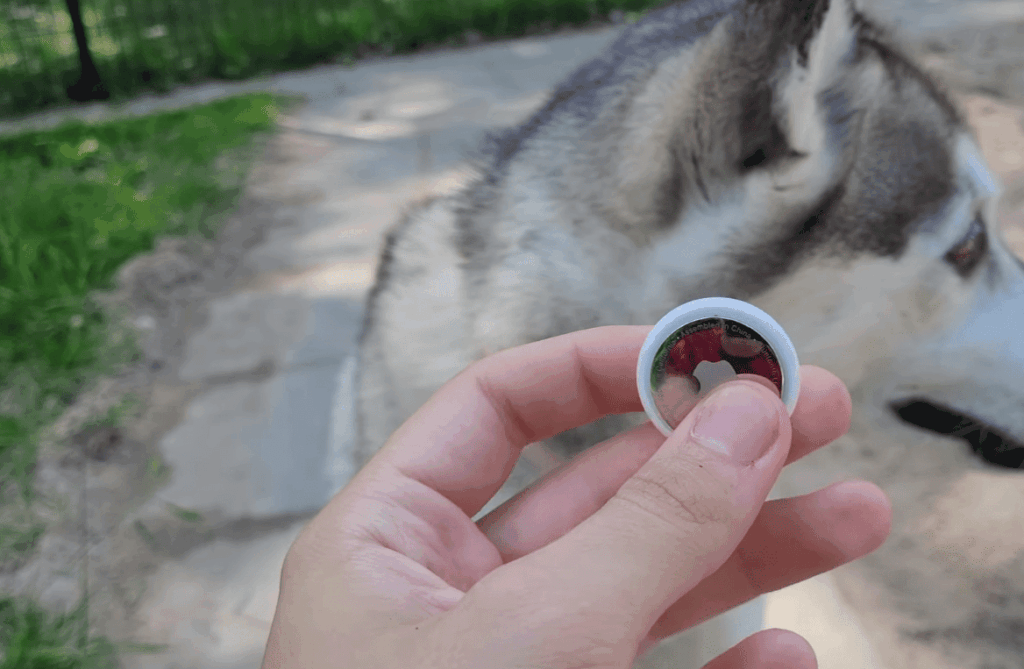
As a cost-effective dog tracking device, AirTags are becoming an attractive option for many dog owners. The benefits of using an AirTag for your dog are multifaceted, making it a compelling choice for those within the Apple ecosystem.
AirTags offer a range of benefits that make them an appealing choice for dog owners. These benefits not only enhance the pet ownership experience but also provide peace of mind.
4.1. Affordable Tracking Solution
One of the primary advantages of using an AirTag is its affordability. Compared to traditional GPS dog trackers, AirTags are a cost-effective solution. The initial purchase cost is relatively low, making it accessible to a wide range of pet owners.
4.2. No Monthly Subscription Fees
Unlike many GPS tracking devices, AirTags do not require monthly subscription fees. This aspect significantly reduces the overall cost of ownership, making it an attractive option for those looking to save on recurring expenses.
4.3. Integration with Apple Ecosystem
For dog owners who are deeply integrated into the Apple ecosystem, AirTags offer seamless integration with their existing devices. This integration enables features like easy setup, precise tracking, and notifications, all of which can be managed through the Find My app on their iPhone or iPad.

The benefits of using an AirTag for dog tracking can be summarized as follows:
- Affordability as a tracking solution
- No recurring monthly fees
- Integration with the Apple ecosystem for a streamlined experience
5. Setting Up Your Dog’s AirTag Collar
Setting up an AirTag for your dog is a straightforward process that ensures you can keep track of your pet’s whereabouts effectively. This section will guide you through the necessary steps to get started with using an AirTag for dog tracking.
Pairing Your AirTag with Your iPhone
The first step in setting up your dog’s AirTag is to pair it with your iPhone. To do this, ensure your iPhone is running the latest version of iOS. Bring your AirTag close to your iPhone, and you should see a prompt on your screen indicating that an AirTag has been detected. Tap “Connect” to start the pairing process. Follow the on-screen instructions to complete the setup.
Naming and Configuring Your AirTag
Once paired, you’ll be prompted to give your AirTag a name. Choose a name that clearly identifies it as your dog’s AirTag, such as “Dog’s AirTag” or your dog’s name. You can also configure other settings, such as enabling notifications for when your dog’s AirTag is moved or is out of range.
Attaching the AirTag to Your Dog’s Collar
After configuring your AirTag, it’s time to attach it to your dog’s collar. You can use a dedicated AirTag holder or pouch designed for pet collars. Ensure the AirTag is securely attached to prevent it from falling off during your dog’s activities. Consider the size and weight of the AirTag and attachment to ensure your dog’s comfort.
Testing the Setup
To ensure everything is working correctly, test your AirTag setup by checking its location on the Find My app. Walk around with your dog (or have someone else hold the AirTag) to different locations and check that the AirTag updates its location on the map. This step helps you understand how the AirTag works and gives you confidence in its ability to track your dog.
By following these steps, you’ll have your dog’s AirTag collar set up and ready to use. Remember to periodically check the AirTag’s battery level and replace it as needed to maintain continuous tracking.
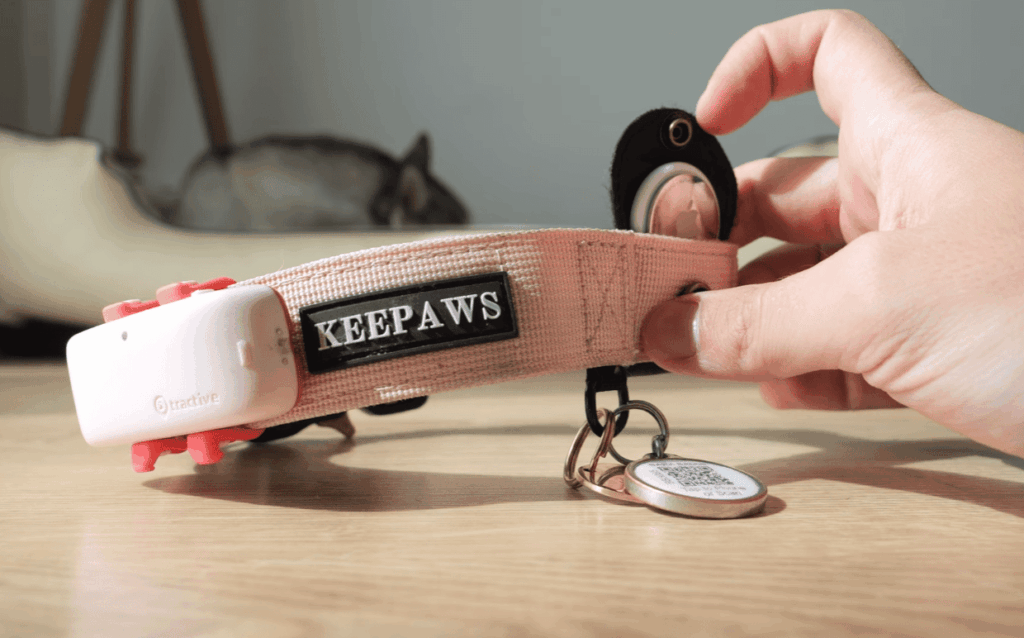
6. Limitations of AirTag Dog Collars
While AirTags offer a convenient solution for tracking your dog, there are several limitations to be aware of. As noted by Lawrence Finch, Apple does not recommend using AirTags for pets, highlighting the need to understand these limitations.
Not a Real-Time GPS Tracker
One significant limitation is that AirTags are not real-time GPS trackers. Unlike dedicated GPS dog trackers, AirTags rely on Bluetooth technology and the Find My network to locate your dog. This means that the location updates are not instantaneous and depend on other Apple devices in the vicinity to relay the AirTag’s location.
Key limitation: AirTags do not provide continuous, real-time tracking. Instead, they update the dog’s location when another Apple device comes within range.
Requires Other Apple Devices Nearby
The effectiveness of an AirTag in tracking your dog largely depends on the density of Apple devices in your area. In urban environments with many Apple device users, the AirTag is more likely to be detected and its location updated. However, in areas with fewer Apple devices, the tracking capability is significantly reduced.
“The AirTag’s reliance on the Find My network means its effectiveness can vary greatly depending on the environment.”
Limited Rural Area Performance
Rural areas, with their sparse population and fewer Apple devices, pose a significant challenge for AirTag tracking. The lack of nearby devices means that the AirTag may not be able to send its location back to the owner promptly, making it less effective for tracking dogs that venture into these areas.
For dog owners living in or frequently visiting rural areas, this limitation is crucial to consider when deciding on a tracking solution.
7. AirTag vs. GPS Dog Trackers
AirTags and GPS dog trackers serve the same purpose but differ significantly in their approach. While both are designed to help locate your dog, they operate on different technologies and have distinct advantages and disadvantages.
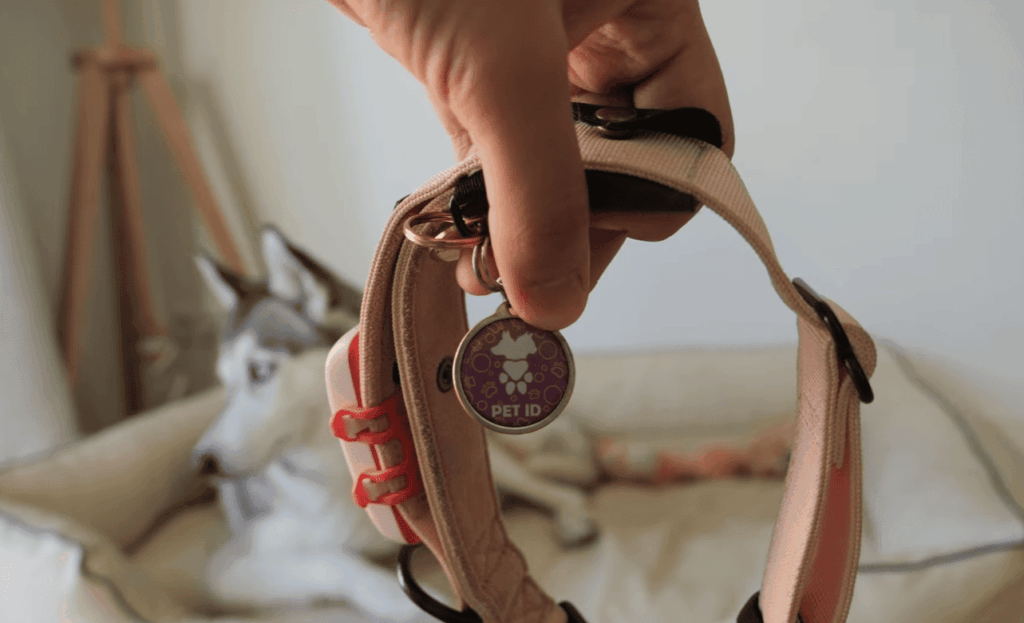
7.1. Coverage Area Differences
The primary difference between AirTags and GPS dog trackers lies in their coverage area. GPS dog trackers utilize cellular networks and satellites to provide real-time location tracking across a wide area, including rural and remote locations. In contrast, AirTags rely on Bluetooth technology and the Find My network, which, while extensive, may not offer the same level of coverage as GPS, especially in areas with fewer Apple devices.
Coverage Comparison:
| Tracker Type | Coverage Area | Technology Used |
|---|---|---|
| GPS Dog Trackers | Wide area, including rural locations | Cellular networks and satellites |
| AirTags | Limited by Find My network density | Bluetooth and Find My network |
7.2. Cost Comparison
When considering cost, AirTags have an initial advantage as they are generally cheaper than GPS dog trackers. However, the overall cost-effectiveness depends on several factors, including the cost of replacement batteries for AirTags and any subscription fees associated with GPS trackers.
Cost Considerations:
| Tracker Type | Initial Cost | Ongoing Costs |
|---|---|---|
| AirTags | One-time purchase (~$29) | Replacement batteries (~$1-2 per year) |
| GPS Dog Trackers | Device cost (~$50-100) | Monthly/Annual subscription fees (~$5-10/month) |
7.3. Battery Life Considerations
Battery life is another critical factor when choosing between AirTags and GPS dog trackers. AirTags are known for their long battery life, with a single CR2032 battery lasting about a year. GPS dog trackers, on the other hand, often require more frequent charging, with battery life varying from a few days to several weeks depending on the device and usage.
- AirTags: Up to 1 year battery life
- GPS Dog Trackers: Varies, typically between 1-14 days
8. Safety Considerations for AirTag Dog Collars
The safety of your pet is a crucial consideration when using AirTags on dogs. While AirTags can be an effective tool for tracking your dog’s location, it’s essential to use them in a way that ensures your pet’s comfort and safety.
Secure Attachment Methods
One of the primary safety considerations is how securely the AirTag is attached to your dog’s collar. A loosely attached AirTag can become a choking hazard if ingested. As Mswizzle44 mentions, having the AirTag secured in the collar and not dangling from it can prevent ingestion. It’s crucial to choose an attachment method that is both secure and comfortable for your dog.
Some popular methods include using a dedicated AirTag holder or pouch that can be attached to the dog’s collar. These holders are designed to keep the AirTag safe and secure, reducing the risk of it coming loose.
Water Resistance and Durability
Another important safety consideration is the water resistance and durability of the AirTag and its attachment. Dogs often get wet during baths, swims, or playtime in the rain, so it’s vital that the AirTag can withstand exposure to water.
Apple’s AirTag is designed to be water-resistant, but it’s not entirely waterproof. Therefore, using a waterproof case or pouch can add an extra layer of protection. This not only helps to keep the AirTag functioning but also ensures that it remains securely attached to the collar.
Size and Weight for Different Dog Breeds
The size and weight of the AirTag and its attachment are also critical safety considerations, particularly for different dog breeds. Smaller dogs may be more susceptible to the weight or bulk of an AirTag attachment, so it’s essential to choose a lightweight and compact solution.
| Dog Breed | Recommended AirTag Attachment | Weight Consideration |
|---|---|---|
| Small Breeds (e.g., Chihuahua, Poodle) | Lightweight clip-on or pouch | Less than 20 grams |
| Medium Breeds (e.g., Cocker Spaniel, Beagle) | Standard AirTag holder | 20-50 grams |
| Large Breeds (e.g., German Shepherd, Golden Retriever) | Durable, secure attachment | More than 50 grams |
By considering these factors and choosing the right AirTag attachment for your dog’s size and breed, you can ensure a safe and effective tracking experience.
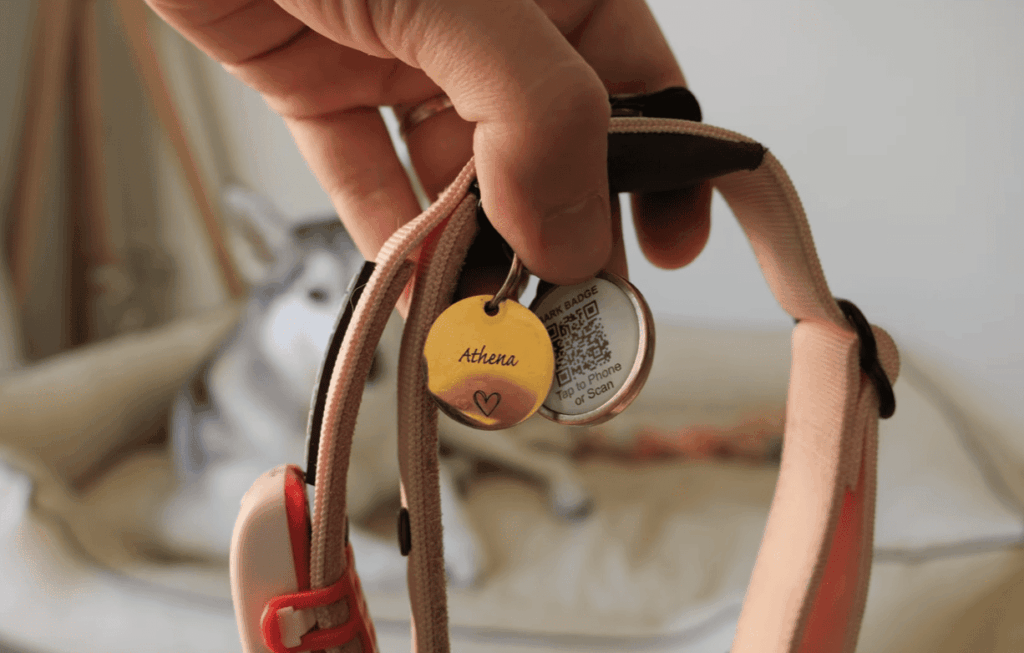
9. Best Practices for Using AirTags on Dogs
As a dog owner, maximizing the potential of your AirTag requires some know-how and adherence to best practices. By following these guidelines, you can ensure that your AirTag serves as an effective tool in keeping your dog safe and traceable.
Regular Battery Checks
One of the most critical best practices is to regularly check the battery level of your AirTag. A dead battery can render your AirTag useless, leaving you without a means to locate your dog. You can check the battery level by going to the Find My app on your iPhone, selecting the AirTag, and viewing its status. Replace the battery when it falls below 20% to avoid any potential tracking interruptions.
Combining with Traditional ID Tags
While AirTags offer a modern and technologically advanced way to track your dog, they should not replace traditional ID tags. Instead, use them in conjunction with traditional identification tags. This ensures that your dog can be identified and returned to you even if someone finds them without using your iPhone or the Find My network.
When to Use AirTags vs. GPS Trackers
Understanding when to use an AirTag versus a GPS tracker is crucial. AirTags are ideal for short-range tracking and are particularly useful in urban environments where there is a dense network of Apple devices. However, for long-range tracking or in rural areas, a GPS tracker might be more suitable due to its ability to provide real-time location data regardless of the proximity to other devices.
By following these best practices, you can maximize the effectiveness of your AirTag and enjoy the peace of mind that comes with knowing your dog is safer and more easily recoverable if they ever become lost.
10. Popular AirTag Dog Collar Accessories
When it comes to enhancing your dog’s AirTag experience, the right accessories can make all the difference. Various accessories are available to help you get the most out of your AirTag dog collar, from secure holders to protective cases.
Belkin Secure Holder with Key Ring
The Belkin Secure Holder with Key Ring is a popular choice among AirTag users. It provides a secure and easy way to attach the AirTag to your dog’s collar. This holder is designed to be durable and keep your AirTag safe.
Catalyst Waterproof Case
For dog owners who want to ensure their AirTag remains protected from the elements, the Catalyst Waterproof Case is an excellent option. This case is designed to be waterproof, providing peace of mind whether your dog is swimming or playing in the rain.
KeySmart SmartCard
The KeySmart SmartCard is another innovative accessory that allows you to store your AirTag securely. It’s designed to be compact and can be attached to your dog’s collar or carried separately.
Nomad Rugged Pet Loop
The Nomad Rugged Pet Loop is designed specifically for pet owners. It’s made from durable materials and is designed to withstand the rigors of daily use. This accessory provides a secure and comfortable way to attach your AirTag to your dog’s collar.
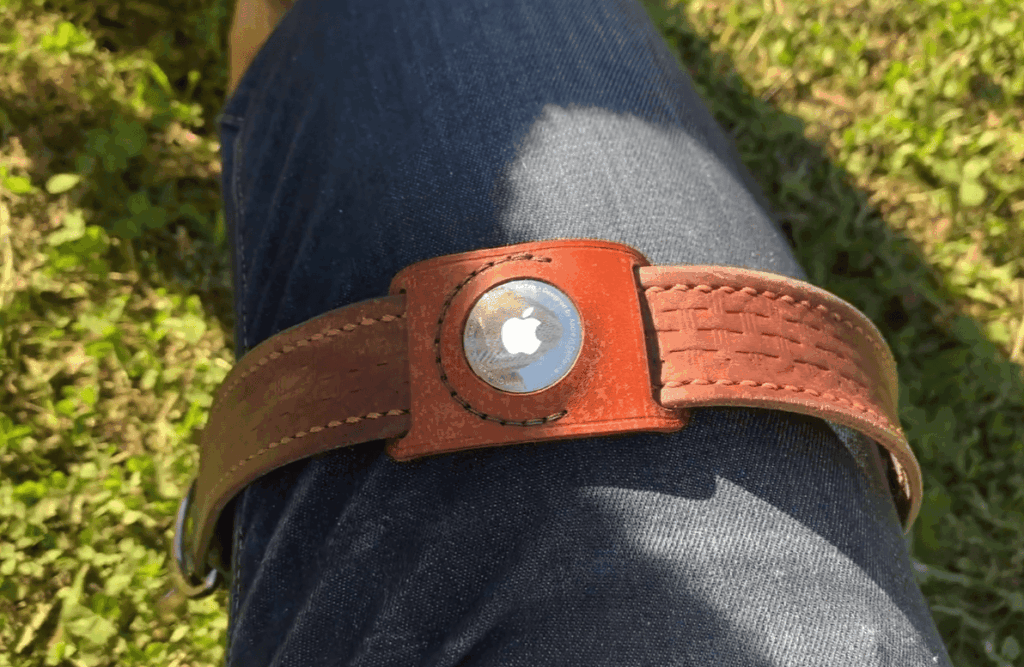
Here’s a comparison of these popular AirTag dog collar accessories:
| Accessory | Key Features | Durability | Water Resistance |
|---|---|---|---|
| Belkin Secure Holder | Secure attachment, easy to use | High | No |
| Catalyst Waterproof Case | Waterproof protection | High | Yes |
| KeySmart SmartCard | Compact, secure storage | Medium | No |
| Nomad Rugged Pet Loop | Durable, comfortable design | High | Yes |
11. Cost Analysis of AirTag Dog Tracking
To get a complete picture of the expenses involved, let’s dive into the cost analysis of AirTag dog tracking. Understanding the total cost of ownership is essential for pet owners who want to make informed decisions about their dog’s tracking needs.
Initial Purchase Costs
The initial cost of an AirTag is a significant factor. Currently, a single AirTag costs around $29, and a pack of four costs $99. This means that the cost per unit decreases as you buy more AirTags. For dog owners, purchasing one AirTag is usually sufficient, but having extras can be useful if you have multiple pets or want a spare.
Replacement Battery Expenses
One of the advantages of AirTags is their long battery life. An AirTag’s battery can last up to a year, depending on usage. The replacement battery is a standard CR2032, which is widely available and costs around $5-$10. This low cost and the infrequent need for replacement contribute to the overall cost-effectiveness of AirTags.
According to Apple, “The battery in AirTag is designed to last for over a year, and you can easily replace it yourself.” This ease of replacement and the low cost of the battery make AirTags a convenient option for dog owners.
Accessory Investment
In addition to the AirTag itself, you may want to invest in accessories such as holders or collars designed to securely attach the AirTag to your dog’s collar. These accessories can vary in price, ranging from around $10 to $30 or more, depending on the brand and quality.
Some popular accessories include the Belkin Secure Holder with Key Ring ($10-$15) and the Catalyst Waterproof Case ($15-$20). Investing in a good quality accessory can enhance the durability and functionality of your AirTag.
| Item | Cost | Notes |
|---|---|---|
| Single AirTag | $29 | Initial purchase cost |
| CR2032 Battery | $5-$10 | Replacement battery cost |
| AirTag Holder/Accessory | $10-$30 | Optional, varies by brand and quality |
In conclusion, the total cost of using an AirTag for dog tracking includes the initial purchase price, occasional replacement battery costs, and optional accessory investments. Overall, AirTags offer a cost-effective solution for dog owners, especially when compared to GPS tracking devices that often require monthly subscription fees.

12. Conclusion
Using an AirTag dog collar can be an effective way to keep track of your pet. As discussed, AirTags offer several benefits, including affordability and seamless integration with the Apple ecosystem. The various attachment options available make it easy to secure the AirTag to your dog’s collar.
While AirTags have limitations, such as not being real-time GPS trackers and requiring other Apple devices nearby, they can still be a valuable tool for dog owners. By understanding these limitations and using AirTags in conjunction with traditional ID tags, you can create a reliable dog tracking system.
In conclusion, an AirTag dog collar is a practical solution for pet owners looking for a cost-effective and easy-to-use tracking device. By weighing the benefits and limitations, you can decide if an AirTag is right for your dog.